The Complete UK Guide to 3D Scanners
What Are 3D Imaging Scanners?
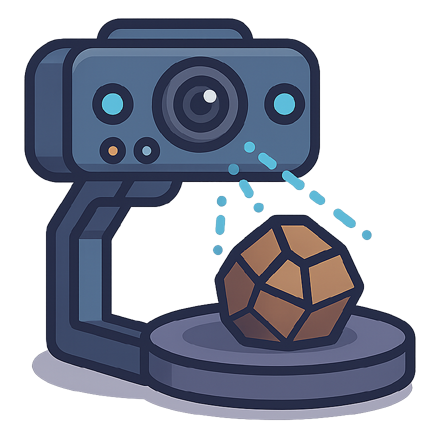
A 3D imaging scanner captures the physical world and converts it into digital three-dimensional models. These devices use various technologies to measure distances, angles and surface details. The result? Precise digital replicas of real objects.
Think of it as photography's advanced cousin. Instead of flat images, you get complete 3D models you can rotate, measure and modify on your computer.
Types of 3D Imaging Scanners Available in the UK
Structured Light Scanners
These scanners project patterns onto objects and analyse how the light bends. They're incredibly accurate for small to medium items.
Best for:
- Jewellery design
- Medical applications
- Quality control in manufacturing
- Art preservation
Typical accuracy: 0.1mm or better
Laser Scanners
Laser scanners use light beams to measure distances with exceptional precision. They work well in various lighting conditions.
Best for:
- Large objects and buildings
- Industrial inspection
- Reverse engineering
- Archaeological documentation
Range: From centimetres to several metres
Photogrammetry Scanners
These systems take multiple photographs from different angles. Software then reconstructs the 3D model from these images.
Best for:
- Outdoor scanning
- Large-scale projects
- Budget-conscious users
- Beginners learning 3D scanning
Equipment needed: Digital camera or smartphone plus software
Time-of-Flight Scanners
These measure how long light takes to travel to an object and back. They're fast but typically less accurate than other methods.
Best for:
- Real-time applications
- Motion capture
- Security systems
- Robotics
Key Features to Consider
Resolution and Accuracy
Resolution determines how much detail your scanner captures. Higher resolution means more detailed models but larger file sizes.
- High resolution: 0.1mm accuracy - perfect for small, detailed objects
- Medium resolution: 0.5-1mm accuracy - suitable for most applications
- Low resolution: 2-5mm accuracy - adequate for large objects
Scanning Volume
This is the maximum size object your scanner can handle in one go.
- Desktop scanners: 200mm x 200mm x 200mm typical
- Handheld scanners: Limited only by your patience
- Industrial scanners: Several metres in each dimension
Scanning Speed
How quickly can you complete a scan? This varies enormously between technologies.
- Structured light: 1-5 seconds for small objects
- Handheld laser: 5-30 minutes depending on complexity
- Photogrammetry: Hours of processing after quick photo capture
Technical Terms Explained
Point Cloud: A collection of data points in 3D space representing the scanned object's surface.
Mesh: A network of triangles that forms the 3D model's surface from the point cloud data.
Texture Mapping: Adding colour and surface details to your 3D model.
Calibration: Setting up your scanner for optimal accuracy before use.
Post-Processing: Cleaning up and refining your 3D model after scanning.
What to Look for When Buying
Software Compatibility
Check what software comes included. Professional packages often cost thousands extra.
Free options:
- MeshLab
- Blender
- CloudCompare
Professional software:
- Geomagic
- Polyworks
- Artec Studio
Connectivity Options
Modern scanners offer various connection methods:
- USB 3.0 for fast data transfer
- Wi-Fi for wireless operation
- Ethernet for industrial applications
- Battery power for portable use
Build Quality
Industrial scanners need robust construction. Desktop models can be lighter but should still feel solid.
Look for:
- Metal housing over plastic
- Quality optical components
- Proper ventilation systems
- Secure mounting points
Price Ranges in the UK
Entry Level (£500-£3,000)
Perfect for hobbyists and small businesses. Expect basic software and moderate accuracy.
Professional (£3,000-£50,000)
Suitable for serious commercial work. Higher accuracy and comprehensive software packages.
Industrial (£50,000+)
Top-tier accuracy and speed. Built for continuous operation in demanding environments.
Applications Across Industries
Manufacturing and Engineering
Quality control, reverse engineering, and rapid prototyping drive demand in these sectors.
Healthcare and Medical
Prosthetics, orthotics, and surgical planning benefit from precise 3D models of human anatomy.
Architecture and Construction
Building surveys, restoration projects, and historical documentation rely on accurate 3D scanning.
Entertainment and Gaming
Film studios and game developers use scanning for realistic character and prop creation.
Education and Research
Universities and research institutions use scanners for teaching and archaeological work.
Maintenance and Support Considerations
Regular Calibration
Most scanners need periodic calibration to maintain accuracy. Factor this into your budget.
Consumables
Some scanners require replacement parts like calibration targets or projection bulbs.
Training Requirements
Complex systems may need operator training. Check if this is included in your purchase.
UK Support Network
Ensure your chosen manufacturer has UK-based technical support and service centres.
Common Mistakes to Avoid
Buying based on price alone. The cheapest scanner may cost more long-term through poor results and wasted time.
Ignoring software costs. Professional software licences can double your total investment.
Underestimating learning curve. Budget time for training and practice with your new system.
Overlooking environmental requirements. Some scanners need controlled lighting or stable temperatures.
Making Your Final Decision
Consider these questions:
What size objects will you scan most often? This determines your required scanning volume.
How accurate do your models need to be? Higher accuracy costs more but may be essential for your application.
Will you scan indoors or outdoors? This affects your technology choice significantly.
Do you need colour information? Not all scanners capture texture and colour data.
How much post-processing time can you afford? Some technologies require extensive cleanup work.
Getting Started with 3D Scanning
Once you've chosen your scanner, start with simple objects. Practice scanning different materials and shapes. Build your skills gradually before tackling complex projects.
Join UK 3D scanning communities online. Share experiences and learn from other users. The technology evolves rapidly, so staying connected helps you maximise your investment.
Consider attending trade shows and demonstrations. Seeing scanners in action helps you understand their capabilities and limitations better than specifications alone.
Your choice of 3D imaging scanner depends on your specific needs, budget, and intended applications. Take time to evaluate these factors carefully. The right scanner will serve you well for years to come.