Our product rankings are based on analysis of thousands of customer reviews, brand reputation, pricing trends, and popularity data. They represent our honest opinion and are intended as a helpful starting point for your research. Some links on this site are affiliate links — if you buy through them, we may earn a small commission at no extra cost to you. This helps us keep the site free and up to date.
Desktop 3D scanners sit on your bench, point at an automatic turntable and capture an object from every side while you watch, turning it into a mesh ready for 3D printing, CAD or inspection. They suit makers, product designers, jewellers, schools and small workshops scanning parts that fit in your hands.
Below you'll find stationary scanners and turntable kits with real accuracy figures, from budget infrared models to blue-light units for fine detail. Scanning tiny parts? See our scanners for small objects; need to walk round something bigger, browse handheld 3D scanners.


A desktop 3D scanner is a stationary 3D scanner that stays in one place while the object moves. The scanning head sits on a stand or tripod and an automatic turntable rotates the object in front of it, so the software can capture each side in turn and stitch the frames into one 3D model. Shining 3D, maker of the EinScan desktop range, describes them as stationary solutions that allow semi-automatic workflows when paired with a motorised platform and compatible software.
That is the big difference from a handheld 3D scanner. With a handheld unit you move the 3D scanner around the object; with a desktop setup you fix the distance and angle and let the platform do the work. The result is more repeatable scans, steadier accuracy and far less tiring 3D scanning sessions when you are digitising lots of small parts.
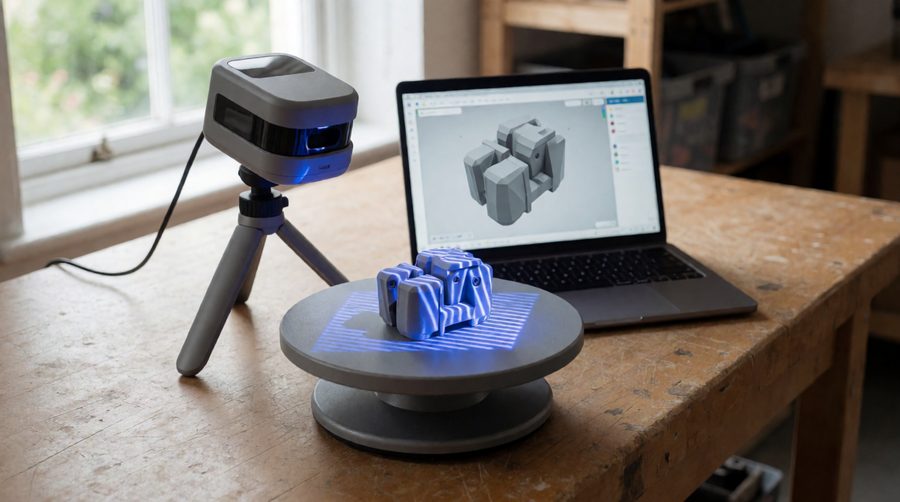
Most current models use structured light, the same idea behind the Artec Micro II and the EinScan range. A projector throws a pattern of stripes or dots onto the object and one or more cameras record how the pattern bends over its surface. By comparing the original pattern with the deformed one, the software works out the shape. Each capture becomes a point cloud of hundreds of thousands of XYZ points, and the software joins the points into triangles to build a 3D mesh.
Near-infrared (NIR) scanners such as the 3DMakerpro Mole and Revopoint MIRACO are eye-safe Class 1 devices and cope well with skin and matte objects. Blue structured light, used by the Revopoint Mini 2 and 3DMakerpro Seal, is less affected by ambient light and resolves finer detail on small objects. Blue laser lines, as on the Revopoint MetroX and Creality Raptor Pro, handle dark and shiny surfaces better than structured light and are the usual choice for metrology-style work. Laser models carry a laser class (Class 2M on Revopoint's laser projector), so read the UK Health Security Agency laser radiation safety advice before scanning near eyes. Our blue laser scanners and structured light scanners pages compare both groups in detail.
| Desktop 3D scanning | Handheld scanning | |
|---|---|---|
| Best object size | Small to medium parts, roughly coin size to about 20cm | Medium to large objects, people, cars, rooms |
| Accuracy | Consistent - fixed distance inside a set scan volume | Varies with distance, movement and tracking |
| Effort | Semi-automatic: place, click, flip | You move the scanner the whole time |
| Weight limit | Platform load, typically up to 5kg | None |
| Portability | Stays on the bench | Take it anywhere |
| Typical uses | Jewellery, figures, mechanical parts, dental models, teaching | Car parts, furniture, sculpture, body scanning |
Many scanners now do both. A tripod and a rotating base turn a hybrid like the Revopoint Mini 2 into a desktop 3D scanner, and the same unit comes off the stand when you need to scan something bigger. If you mostly travel with it, look at portable 3D scanners; for cars and furniture, our 3D scanners for large objects are the better fit.
Accuracy is how close each measured point is to the real surface; resolution is how close together the points are. Formlabs puts lower-priced scanners at roughly 0.1mm to 1mm accuracy and higher-priced ones at around 0.02mm. For 3D printing replacement parts and figures, 0.05-0.1mm is usually enough, and resolution decides how much fine surface detail you see. For tight-tolerance reverse engineering or quality inspection, look at 0.02mm or better - our high precision 3D scanners start there. Check whether a figure is single-frame precision or volumetric accuracy, because brands quote them differently.
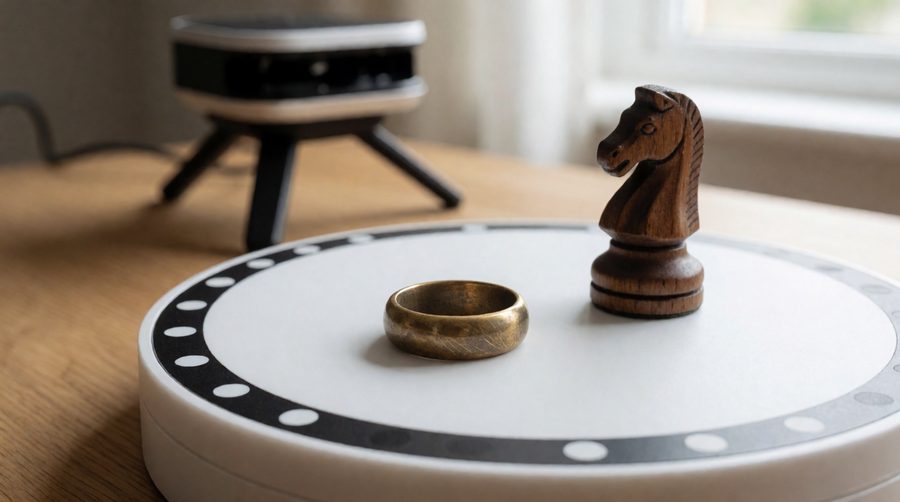
Measure what you actually want to scan. Shining 3D's EinScan SE V2 handles objects from 30 x 30 x 30mm and up to 200 x 200 x 200mm on its turntable, with a 5kg load limit. Artec's Micro II takes items up to 200 x 200 x 150mm and 2kg. Hybrid scanners reach further down: the Revopoint Mini 2 lists a 10 x 10 x 10mm minimum scan volume, which suits coins, rings and model figures.
This is the most overlooked point. Some kits ship with a turntable, calibration board and markers (the Creality Otter Lite Basic and Revopoint's laser model both do); others, such as the 3DMakerpro Mole, leave it out. Revopoint's dual-axis turntable rotates through 360 degrees, tilts by up to 30 degrees either way and takes up to 5kg, which saves a lot of manual flipping.
If you want a realistic full-colour model for display, games or a web viewer, you need an RGB camera. The MIRACO has a 48MP RGB camera; the Mole captures mono textures only. Our 3D colour scanners all record colour.
Every 3D scanner here exports STL, OBJ and PLY. Check that the software runs on your system (most are Windows 10/11 64-bit, and many add macOS) and whether it includes mesh editing and measurement tools. Shining 3D bundles a Solid Edge SHINING 3D Edition with the EinScan SP V2 for scan-to-CAD work, and Revopoint offers Revo Design. If that is the end goal, see our 3D scanners for CAD.
Speed is quoted in frames per second. The Creality Otter Lite Basic runs at up to 30fps, the Revopoint POP 3 Plus at 18fps, the Mini 2 at 16fps and the 3DMakerpro Mole at 10fps. On a desktop the rotating platform sets the pace, so speed matters less than it does handheld; a faster 3D scanner mostly means fewer dropped frames and quicker 3D scanning of objects with lots of detail.
Processing a dense scan is heavy work. The 3DMakerpro Mole asks for at least an Intel Core i5 8th generation and 16GB RAM, while the Revopoint MetroX wants an Intel i7 12th generation or Ryzen 7 5800 with 32GB RAM as a minimum. A standalone scanner sidesteps this by processing on the device.
Figures below come from the listed specifications of products in this collection, so you can compare each 3D scanner like for like.
| Scanner | Light source | Accuracy / precision | Working distance | Smallest object | Turntable |
|---|---|---|---|---|---|
| Revopoint MetroX | Blue laser lines | Up to 0.01mm | 200-400mm | - | Dual-axis, included |
| Revopoint Mini 2 | Blue light | Up to 0.02mm | 120-250mm | 10mm | Dual-axis supported |
| Revopoint MIRACO | Infrared (4 cameras) | Up to 0.02mm | 100-1,000mm | 10mm | Desktop mode |
| Revopoint POP 3 Plus | IR, 2 cameras | Up to 0.04mm | 150-400mm | 20mm | Supported |
| Creality Otter Lite Basic | IR + RGB | 0.05mm | 100-200mm (close) | 20mm | Included |
| 3DMakerpro Mole | NIR + LED | 0.05mm | 150-400mm | 15mm | Mode supported, not included |
For comparison, dedicated bench-top systems from Shining 3D: the EinScan SP V2 is rated at 0.05mm or better and the EinScan SE V2 at 0.1mm or better (Shining 3D desktop range), the Matter and Form THREE at around +/-50 microns, and the Artec Micro II at up to 5 microns for professional inspection.
Photogrammetry builds a 3D model from a set of overlapping photos, often taken on a phone. It costs little or nothing and is good at realistic colour, but Formlabs calls it the least accurate route to a 3D print and not suitable for serious business use. It also struggles with small, plain or shiny objects.
A desktop 3D scanner measures shape directly, so a 0.05mm scan of a bracket will print and fit, where a photogrammetry model of the same part usually needs work in modelling software first. At the top end the two work together: Artec Studio can combine 3D scanning data with photogrammetry for hyper-real colour. For fruit, food or props seen only on screen, photogrammetry is often enough; for parts that must fit, choose a 3D scanner.
If your objects are mostly larger than a shoebox, desktop 3D scanners are the wrong tool and a handheld 3D scanner will serve you better.
New to scanning? Our entry level 3D scanners are the simplest way in, and professional 3D scanners cover heavier commercial use.
Prices vary widely. Consumer hybrid kits sit at the lower end, while Shining 3D says professional systems range from a few thousand dollars to over $100,000 for metrology-grade equipment. Accuracy, bundled programs and support drive most of the difference.
Yes. Many handheld models list a desktop mode - the Revopoint Mini 2 and its standalone sibling list "handheld and desktop" scanning, and the Otter Lite Basic ships with its own rotating base. Fix the 3D scanner on a tripod, point it at the rotating platform and run the software's auto-rotate mode.
Among the 3D scanners in this collection, the MetroX lists the finest single-frame precision at up to 0.01mm. Professional systems such as the Artec Micro II go further, to 5 microns.
Not usually. Most desktop 3D scanners track the object by its geometry or surface colour. Markers help with smooth, featureless or symmetrical objects where the software cannot tell one side from another.
STL and OBJ are standard on every model here, with PLY and ASC common too. Revopoint's apps also export 3MF, GLTF and FBX.